
Keyboard and mouse
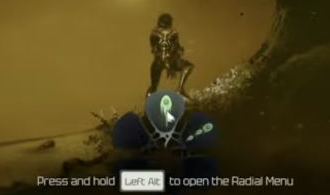
- Hold Left Alt to open the radial selection menu.
- Move the mouse to highlight the weapon you want. The original single-shot blaster is the top icon showing one projectile.
- Check the weapon shown on your HUD after selecting it.
Controller
The PC version 1.0.0 control layout shows LB assigned to Alternate Skills / Radial Menu. Hold that control and use the right stick to select from the radial menu.
If you have rebound controls, use the button assigned to that action in your own Controls screen. The action name is more useful than assuming every controller setup uses the same button.
Radial selection and aiming are different
Using the right stick in the radial menu selects an item from the wheel. It does not mean the game has free right-stick gun aiming. See controller aiming and target lock for the distinction.